
How do you move a building without rebuilding it?
Equip the building tool, then press R to pick up the piece you want to relocate. The developer says everything standing on that piece moves with it. Place it again in the new location for free. This is especially useful when the foundation beneath a machine is the thing you need to reposition.
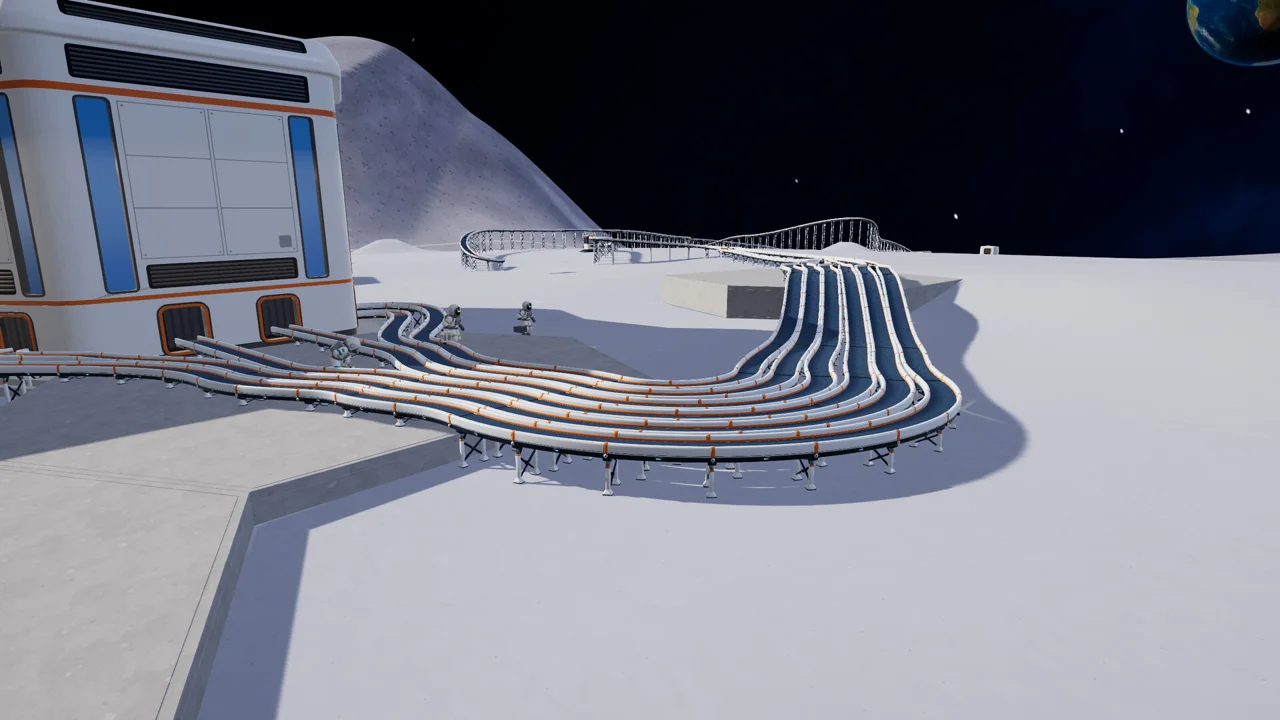
Connected belts follow only where they can reach. After placing the build, inspect each port and watch one capsule through the route before leaving it unattended. That last check is our practical recommendation; the patch does not promise unlimited belt reach.
- Right-click: return the picked-up piece to its original position.
- X: switch to remove mode.
- R or Esc: end move mode.
- Controller: press Y from remove mode to enter Move Mode.
Developer update: Moon Sweepers 1.0.5 (28 October 2026)Developer patch notes
Should you move or remove it?
Move the piece when you still need it in another location. Remove it when you want it gone: 1.0.5 returns its whole price, replacing the previous 75% refund. Neither action requires accepting the old 25% rebuilding loss.
The patch describes a price refund, not an inventory-recovery guarantee for every loose capsule or material nearby. For a large rearrangement, keep a backup and inspect the result before repeating the change across your whole base.
Developer update: Moon Sweepers 1.0.5 (28 October 2026)Developer patch notes
Can you build on dust or beside a foundation?
Yes. Every piece can now be built on dusty ground; the dust beneath it is pressed flat during construction. You do not have to sweep the footprint first.
Aim at the top, underside or side of a foundation to build on, under or beside it. Pieces can extend past an edge into the air. Do not infer a cleaning reward or sector completion from flattened dust: the patch describes building placement, not an earnings shortcut.
Developer update: Moon Sweepers 1.0.5 (28 October 2026)Developer patch notes
How do rotation and machine snapping work?
Stone Presses and other machines line up square to the foundation you aim at, flush with its edges or centered on it. Otherwise they use a 0.5 m grid. The mouse wheel rotates in 90-degree steps, or 30-degree steps on hexagonal foundations.
Press F for free placement. Middle-clicking a piece to pick it also copies its rotation and style. The update additionally fixes adjacent machines being rejected with “Keep the whole base on a flat foundation top.” Update before assuming a row of presses needs a completely different layout.
Developer update: Moon Sweepers 1.0.5 (28 October 2026)Developer patch notes
Check one working route before moving the next piece
Use a small relocation to test the layout before rearranging a whole factory. Our suggested check is to choose one machine whose input and output you can already identify, note the belt connections and move its supporting piece first. The patch describes what Move Mode carries; it does not establish that every route will remain usable in an arbitrary new position.
Before placing, look at the machine’s facing and the intended receiving point. If the new position is wrong, use the documented right-click cancellation to return the picked-up piece. Repeatedly removing and rebuilding is a different operation; a full price refund is not a substitute for understanding where the production route goes.
After placing, trace one capsule from the source, through the machine and toward the next receiver. Inspect the first place it stops. A stretched belt that can no longer reach, a port aimed away from the next machine and a machine that is not processing are different observations. Start with the visible connection instead of dismantling every machine at once.
For a hypothetical two-machine line, move only the first machine’s foundation, then inspect the belt between the machines. If that link no longer reaches, restore the original position or arrange a reachable connection before moving the second machine. This example explains a check; it supplies no tested maximum belt length or universal foundation spacing.
Keep a brief before-and-after note: version, moved piece, cancelled or placed, first stopped capsule and whether restoring the original layout restored the route. If the route still fails, use the processing guide for the machine’s inputs and power. A successful relocation does not prove a separate production fault was fixed.
- Identify the original input and output.
- Move one piece, or cancel it back before committing.
- Follow one capsule after placement.
- Resolve the first visible break before repeating the change.
Developer update: Moon Sweepers 1.0.5 (28 October 2026)Developer patch notes
Questions players ask
Can I move a foundation with machines on it?
The 1.0.5 notes say Move Mode picks up a piece together with everything standing on it. Check connected belts after placing it; they follow only where they can reach.
Does demolition still return only 75%?
No. Version 1.0.5 changes the refund to 100% of the piece’s price.
Why does R not show the new move behavior?
Confirm you are running 1.0.5 and using the building tool. The documented controller route is Y from remove mode. Older guides predate Move Mode.
Sources & version notes
Reviewed on 5 November 2026 against patch 1.0.5. Player questions identify the problem; developer notes establish changed mechanics. Purchase and session suggestions are editorial advice. This site does not claim firsthand playtesting.
Developer update: Moon Sweepers 1.0.5 (28 October 2026)Developer patch notes
CONTINUE THE TASK